The Gamer’s Guide: Building the Best Aesthetic Desk Setup
There is an immeasurable difference between sitting down behind a desk filled with clutter and entering a clean, intentionally curated space to be productive and have fun. One feels overwhelmingly busy and chaotic, while the other feels centered, focused, and more enjoyable to use. A personalized, purposefully crafted aesthetic desk setup goes beyond just the aesthetics–the environment in which you work directly impacts your focus, enjoyment, and overall productivity in the task at hand, whether it be work time or gaming time.
What Does an Aesthetic Desk Setup Entail?
An aesthetic desk setup is a workspace made for versatility, designed to be clean, organized, and visually appealing without having to sacrifice the functionality of a typical workspace.
It typically includes:
A clutter-free desk surface
Mats and small storage products
Lighting displays (RGB or minimalist)
Coordinating colors and materials
Organized, efficient layout with cable management
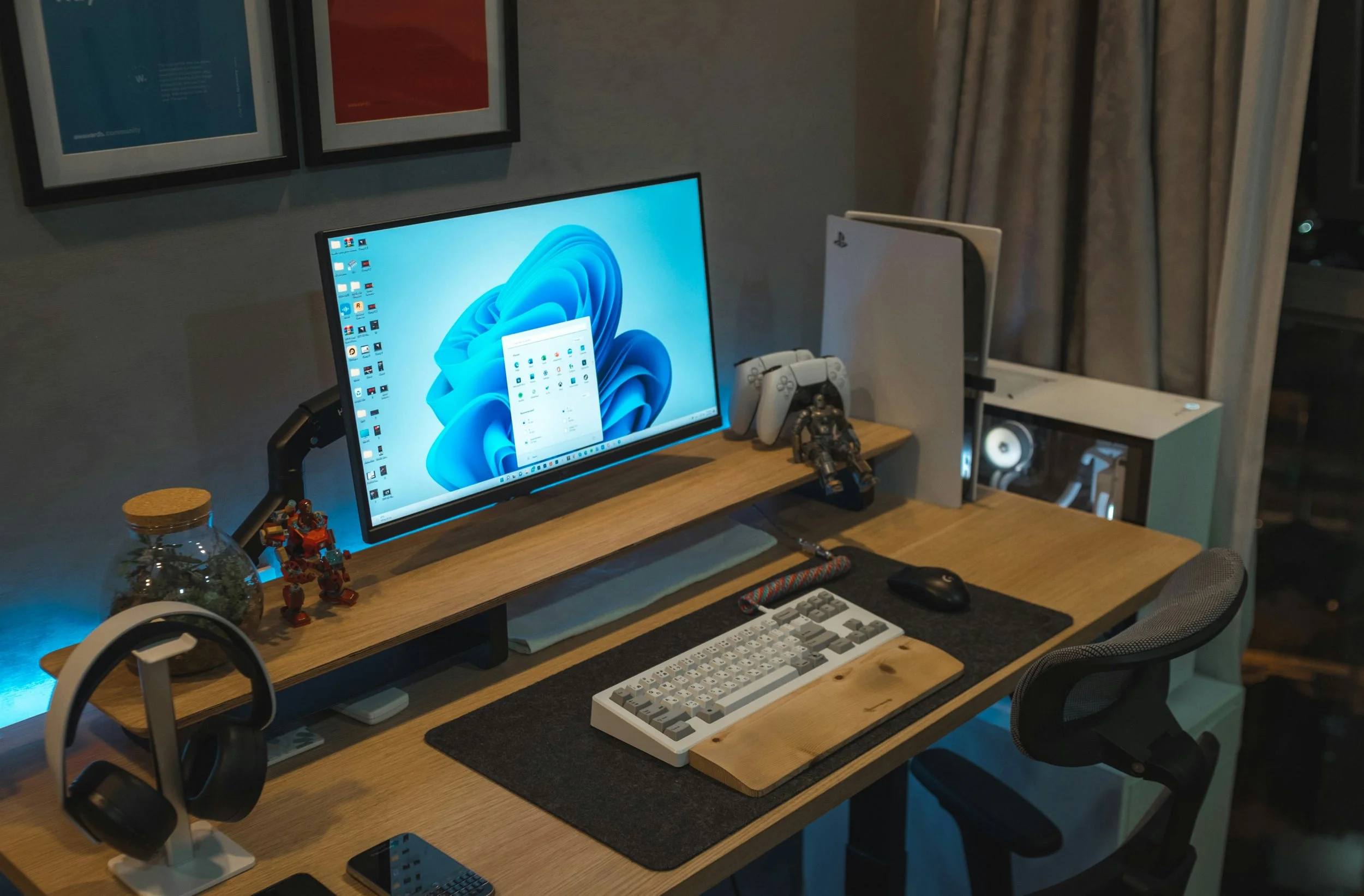
The way a space feels is much more important to gamers than most people realize. In addition to lowering distractions and keeping you mentally focused, a visually decluttered and purposefully organized space makes you want to spend time there and complete tasks.
How Does an Aesthetic Desk Setup Really Improve Performance?
There is more to having a visually pleasing, aesthetic desk setup than just looking cool on Instagram. The space in which you game and work directly impacts how well you function when working or playing games.
Here’s How…
Better focus: The cleaner your setup appears at first glance, the less cognitive overload you experience when trying to hone in on something; fewer distractions mean more stuff done
Faster reaction: It’s as simple as having clear space for your mouse to move and the best positioning for your monitor to help you motor through the games you're playing or the work you’re grinding out.
Less burnout: An ergonomically friendly setup will help you last throughout long workdays and into longer gaming nights.
Mental clarity: The more tidy your workspace is, the clearer and more confident your decisions will be
You have to think of it like this… Your setup is your environment, and your environment determines how you operate.
Step 1—Start From the Ground Up
Every great aesthetic desk setup starts with the necessities: a desk
Desk Size & Surface
Go wider than you think is right. Having a crammed desk instantly restricts organizational capabilities and kills the aesthetics and usability of the desk. Something in the range of 47-60 inches is ideal.
Monitor Placement
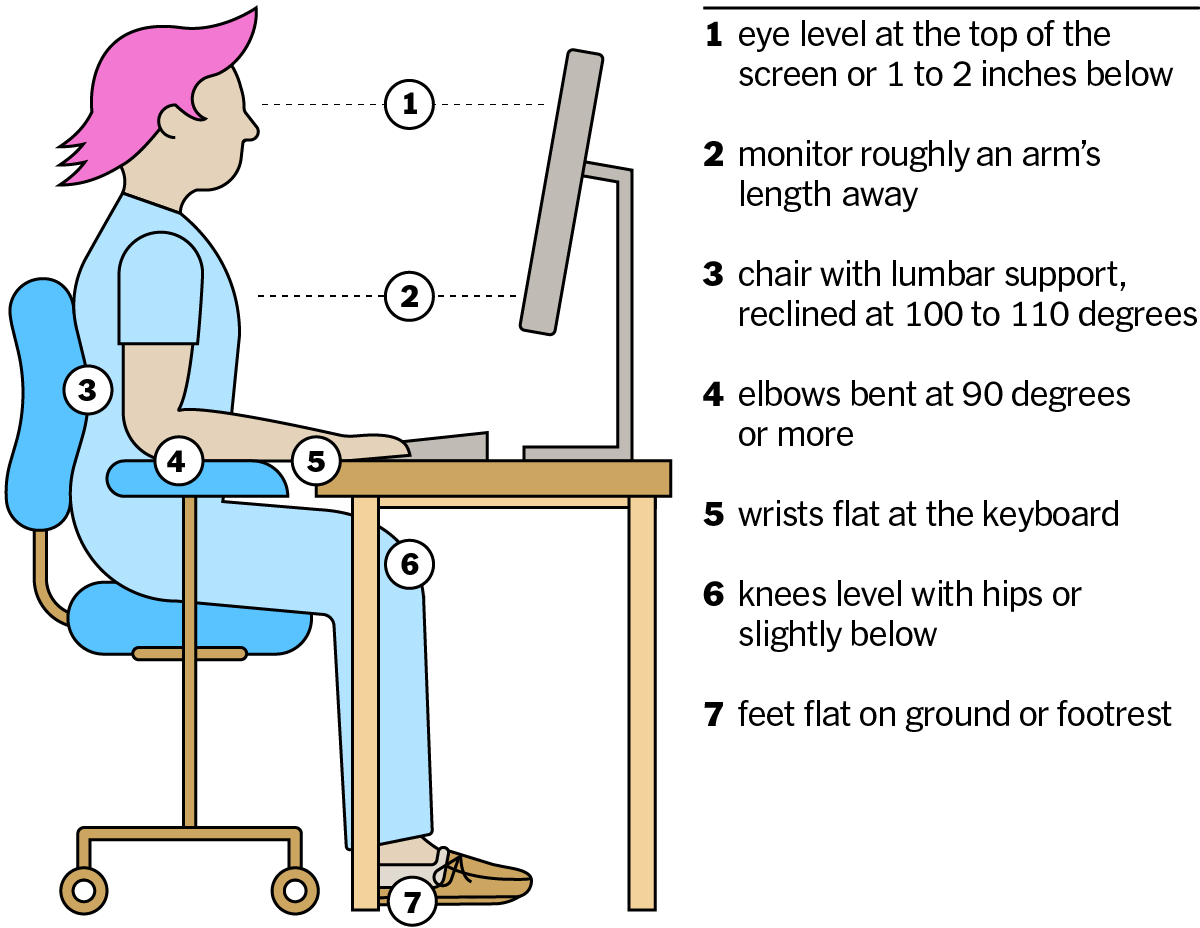
Your monitor should sit at roughly eye level, about an arm’s length away from where you’re sitting. Some desks have independent movement capabilities that can adapt to the height of your chair, but not all. If you are using dual monitors, they should be as symmetrically aligned as possible.
Mouse Space
Gamers often overlook this part of the setup. Having an unrestricted space for your mouse to move freely is crucial in case of any unexpected movements. Especially in FPS games, having an adequate amount of space for the mouse is extremely important, which is even easier when having extra desk space.
The New York Times
Step 2 - Optimize for Comfort and Ergonomics
Having an aesthetic desk setup still means it should feel as good as it looks.
Your Chair Matters
Don’t cheap out when it comes to your chair. A good chair comes with proper lumbar support, an adjustable height, and breathable material in case of any sweaty gaming situations.
Posture Alignment
Feet flat on the ground
Knees at a 90-degree angle
Back as straight as possible with support
Wrist Positioning
Your wrists should stay in a neutral position if working for an extended period of time. Try not to bend them upward–having proper keyboard height or a mouse pad with a wrist rest can prevent long-term strain and even worse, carpal tunnel.
Comfort isn’t optional. If your body is distracted, your performance suffers no matter what you’re doing.
Step 3 - Design the Visual Style
This is where your aesthetic desk setup becomes yours
Choose a Theme
Minimalist (white, black, neutral tones, minimal color)
RGB gamer (immersive lighting, bold colors)
Natural (wood textures, plants, warmer lighting)
Lighting
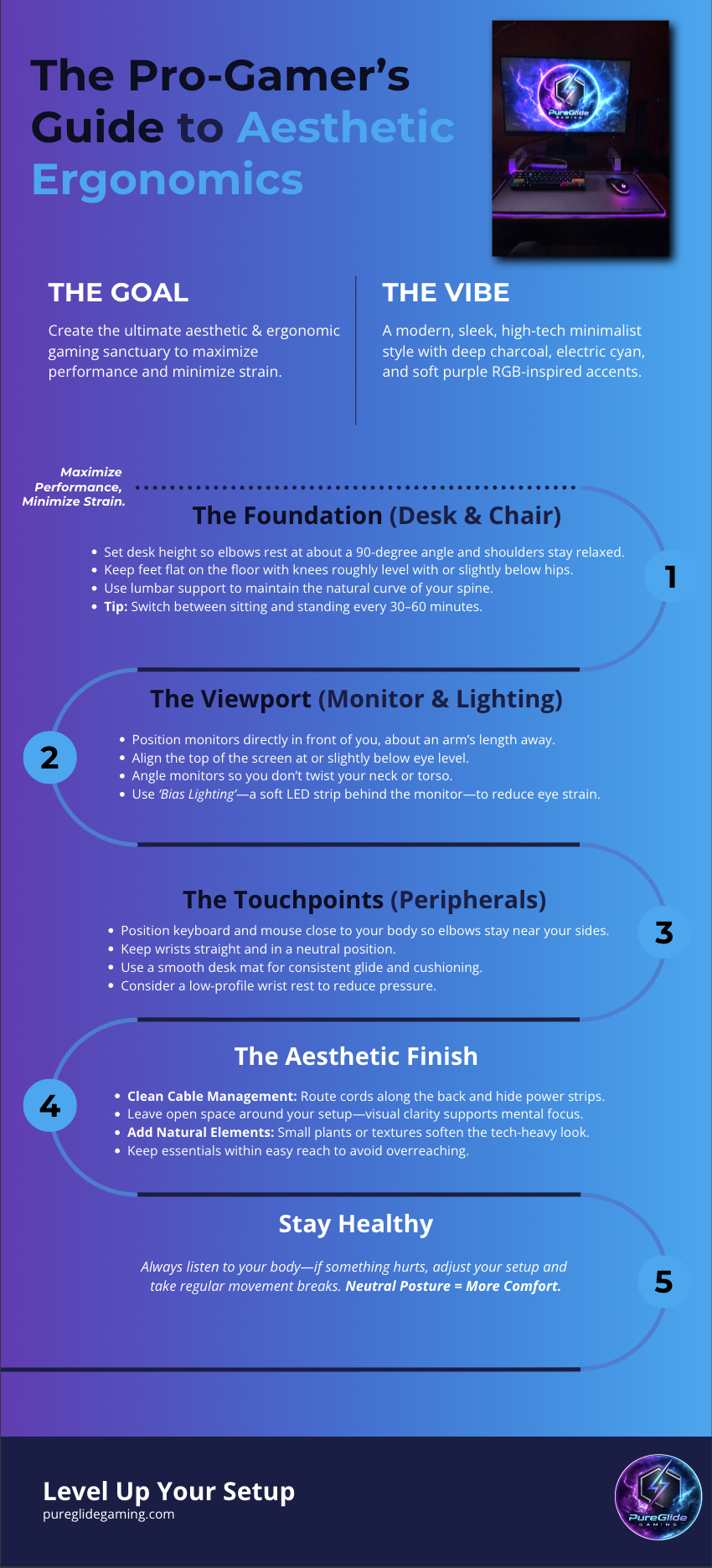
Lighting sets the mood, as they all say. Using LED strips behind your desk or monitor creates more of an ambient glow without direct brightness.
Color
Sticking to 2-3 main colors is best—too many colors create distractions
Declutter Constantly
If it doesn’t serve a purpose or add to the aesthetic/functionality of your desk, it shouldn’t be on your desk.
Step 4 - Clean Cable Management
Use Cable Trays
Mount them under your desk, or if the desk is metal, finding magnetic cable boxes for the power strips and wires is easy and relatively inexpensive.
Velcro Ties & Clips
Combine cables with ties and a clip along the desk edges.
Go Wireless When Possible
The fewer the wires, the cleaner the setup.
Label Cables
This saves you major headaches later when upgrading or troubleshooting.
Cable management is one of those things people tend to get lazy with, but it really makes the difference between decent and elite setups.
Step 5 - Add Functional Accessories
The best aesthetic desk setup includes accessories that are going to enhance your gaming experience without having a cluttered desk.
Essentials for thought…
Extended mousepad
Headset stand
Monitor riser
Desk lamp or ambient lighting setup
Each item should be functional and fit the space. If it’s just extra clutter, it’s got to go.
Parting Piece
At the end of the day, building the right aesthetic desk setup can be inexpensive and is one of the most effective ways to improve your overall productivity, focus, and overall gaming experience while allowing it to function as a workspace. Not everything is tailored towards appearance–it’s about crafting a space that works for you and allows you to focus while being comfortable.
It’s not all about the price of the gear; it’s about the intention to curate the best space.
Start simple and work your way up. Move some things around, add some lighting, organize a couple of things, and build from there. Your desk needs to work for you and you alone.
Start enhancing your setup today.
